
Emergency Live Tracker1.9.2 - Get APK
You'll be able to download in few seconds.
Publisher Description
ELT can save your life!
What if you need immediate assistance but for some reason you cannot talk? What if you're kidnapped and you don't know where you are? What if you had an accident but you're not able to clearly explain where you are? What if you're dizzy or confused enough that you don't remember where you are? How can you call for help? And if you're missing, wouldn't it be great if someone could remotely ask your phone to locate you?
In this kind of situation ELT can help you by sending alert messages to people you know (via email or SMS) describing your location and your condition.
Features:
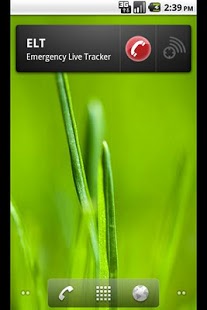
* ELT features a nice looking widget for quick access.
* Send alert messages describing what's happening to you and your current location.
* Alert updates are automatically sent when you move.
* Alert can be remotely triggered via SMS (using a configurable pass phrase)
* Alert messages contains battery level
* Alert messages includes street address (when available)
* Configure up to three email addresses and three phone numbers (for sms alert)
* Direct call to emergency number (911, Dad's number, it is configurable)
* Interactive map displaying your location (and the path you followed)
* Available in English and French.
About Emergency Live Tracker
The company that develops Emergency Live Tracker is Benoit Mahé. The latest version released by its developer is 1.9.2.
To install Emergency Live Tracker on your Android device, just click the green Continue To App button above to start the installation process. The app is listed on our website since 2012-12-26 and was downloaded 0 times. We have already checked if the download link is safe, however for your own protection we recommend that you scan the downloaded app with your antivirus. Your antivirus may detect the Emergency Live Tracker as malware as malware if the download link to com.leosoft.maptracker is broken.
How to install Emergency Live Tracker on your Android device:
- Click on the Continue To App button on our website. This will redirect you to Google Play.
- Once the Emergency Live Tracker is shown in the Google Play listing of your Android device, you can start its download and installation. Tap on the Install button located below the search bar and to the right of the app icon.
- A pop-up window with the permissions required by Emergency Live Tracker will be shown. Click on Accept to continue the process.
- Emergency Live Tracker will be downloaded onto your device, displaying a progress. Once the download completes, the installation will start and you'll get a notification after the installation is finished.
Program Details
System requirements
Download information
Pricing
Version History
version 1.9.2
posted on 2012-12-26
-Spanish version,-Android 3.1 support
version 1.9.1
posted on 2011-03-24
Several fixes and updates
Disclaimer
External Download
We do not host Emergency Live Tracker on our servers. We did not scan it for viruses, adware, spyware or other type of malware. This app is hosted by Galad and passed their terms and conditions to be listed there. We recommend caution when installing it.
The APK Download link for Emergency Live Tracker is provided to you by apps112.com without any warranties, representations or guarantees of any kind, so access it at your own risk.
If you have questions regarding this particular app contact the publisher directly. For questions about the functionalities of apps112.com contact us.
